










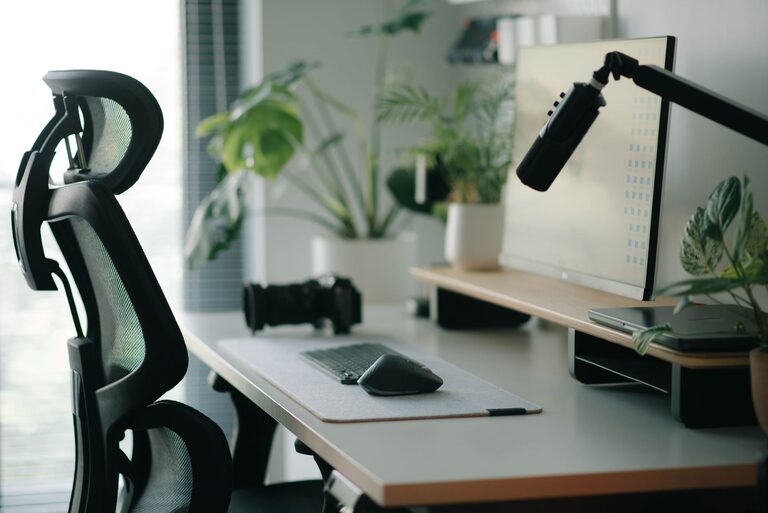
Desk Setup Tips for Focus and Comfort: Create Your Ideal Workspace
Creating a desk setup that promotes both focus and comfort is key to boosting productivity and maintaining well-being during work hours. Whether you’re working from home or in an office, the way your desk is arranged can significantly impact your concentration and physical health. In this post, we’ll explore practical tips to optimize your desk space that are easy to implement and effective for daily use.
Why Your Desk Setup Matters
A well-organized and ergonomic desk setup reduces distractions and physical strain, allowing you to focus better and work longer without discomfort. Poor setups can lead to fatigue, back pain, and decreased motivation, while a thoughtfully arranged workspace can enhance your workflow and mood.
—
Choosing the Right Desk and Chair
Desk Height and Surface
– Standard height: Most desks are around 29-30 inches high. Make sure your desk height suits your body to avoid hunching or straining your arms.
– Surface area: Select a desk with enough space to hold all essentials without overcrowding. Having room to spread out keeps items accessible and your mind clear.
Ergonomic Chair
– Adjustability: Choose a chair with adjustable height, backrest, and armrests for personalized support.
– Lumbar support: A chair that supports the natural curve of your lower back can prevent back pain.
– Comfort: Padding and breathable materials help you stay comfortable during extended work periods.
—
Position Your Monitor for Eye Comfort
– Place your monitor about an arm’s length away to reduce eye strain.
– The top of the screen should be at or slightly below eye level to maintain a neutral neck position.
– Consider using a monitor stand or adjustable arm to achieve the perfect height.
—
Optimize Lighting
Natural Light
– Position your desk near a window to take advantage of natural light, which is easier on the eyes and boosts mood.
– Avoid glare by placing the monitor perpendicular to the window.
Artificial Lighting
– Use a desk lamp with adjustable brightness and color temperature.
– Soft white light is ideal for reducing eye strain and maintaining alertness.
– Avoid harsh overhead lighting that creates shadows or glare on your screen.
—
Organize for Minimal Distraction
Declutter Your Desk
– Keep only daily essentials on your desk to create a clean, inviting workspace.
– Use cable organizers to manage cords and reduce visual clutter.
Storage Solutions
– Utilize drawers, shelves, or desk organizers for documents, stationery, and gadgets.
– Label storage bins to quickly find what you need without searching.
—
Incorporate Comfort Enhancers
Wrist Support
– Use a wrist rest for your keyboard and mouse to reduce strain during typing and clicking.
Footrest
– If your feet don’t rest flat on the floor, a footrest helps maintain good posture.
Desk Mat
– A desk mat adds comfort and protects the desk surface.
—
Personalize Your Workspace Mindfully
– Add a few personal touches like a plant, photo, or artwork to make your space enjoyable.
– Choose low-maintenance plants like succulents to add greenery without extra effort.
– Avoid too many decorations that can become distractions.
—
Take Breaks and Move
– Set reminders to stand up, stretch, or walk every hour.
– Incorporating movement helps reduce fatigue and keeps your mind sharp.
—
Final Thoughts
A desk setup designed for focus and comfort combines good ergonomics, proper organization, and personalized touches. With these tips, you can create a workspace where you feel comfortable, minimize distractions, and maintain productivity throughout the day. Start small by adjusting your chair or decluttering your desk and notice the positive impact on your work experience.
—
By investing a little time in optimizing your desk setup, you create an environment that supports your best work and well-being. Happy organizing!